
The business-grade home office
Today, work happens far beyond the confines of the corporate office. Ensure mobile and remote workers can be productive, connected and focused with home offices fit for the job.
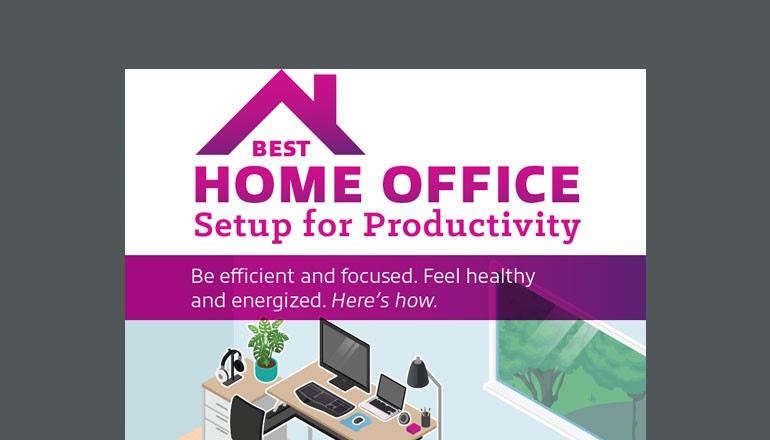
Success starts here.
There are proven ways to equip and arrange the home office for efficiency and well-being. For example, studies show that daylight in the work environment can reduce eyestrain, headaches and drowsiness.
In this infographic, get fast facts and suggestions for creating an ergonomic home office conducive to a productive and energizing atmosphere.

Power your workspace with LG
We know you it can be difficult to connect, collaborate and accomplish heavy workloads without having everyone meet in-person. Let us help you find the right work from home solution.

LG BL650C Series monitor
This TAA compliant, full HD display with IPS technology minimizes color shifts and provides outstanding quality from virtually any viewing angle. It also includes an integrated power module.

LG gram 14-inch laptop
The ultimate tool for the remote or mobile worker, the LG gram® combines a tough, lightweight body with an ultra-thin form factor, excellent performance and great battery life.
Essentials for your workspace

Print, scan, copy and fax.
Produce or send documents wirelessly from your desktop, laptop or mobile device. Brother® multifunction printers offer durability and low cost of ownership. Compact footprints mean no space is wasted. Learn more

Get laser printer performance built for fast print speeds of up to 25 pages per minute. Create custom shortcuts and print or scan from cloud apps such as Dropbox® and Evernote®.

This all-in-one inkjet printer features an internal ink storage tank for uninterrupted printing for up to one year. It also offers easy mobile device printing and an intuitive touchscreen display.
Achieve maximum efficiency throughout the workday. Brother solutions are easy to use, so you can execute on big ideas whether at the home office or on the go.

Productivity through comfort
When the work environment is well-designed, productivity and focus come easy. Ergotron offers workspace solutions that are human-centered and user-friendly. Gain flexibility and increase wellness. Learn more

Created by the original sit-stand desk pioneer, WorkFit® products quickly convert a tabletop or desk surface into a healthy sit-stand workstation that can accommodate any setup.

Free up desk space with an arm mount. Explore options for single and dual displays with simple, ergonomic adjustments that provide unparalleled range of motion.
Place an emphasis on health, productivity and affordability with Ergoton® desks, mounts and carts that accommodate the human worker while using the least amount of space.

Plug and play.
Experience outstanding sound for calls and music. Jabra® products deliver crystal-clear audio and connectivity to help you tune in for voice or video collaboration, and tune out peripheral noise and distraction. Learn more

Enjoy all-day comfort with exceptional sound quality. This wireless headset offers superior active noise cancellation, HD voice and Bluetooth® connectivity to two devices at once.

Enhance conference calls or office music with a premium portable speakerphone. Its intuitive, lightweight design offers 15 hours of battery life and in-room coverage for up to six people.
Collaborate and communicate with advanced audio solutions. Jabra makes work sound better, offering flexible connectivity and easy integration with unified communications platforms.

Get the professional's choice.
Kensington® ergonomic peripheral devices and docking stations are designed for flexibility and convenience right at your desk. Learn more

Pro Fit Ergo keyboard and mouse
Featuring a fully split and sloped design, the Pro Fit® Ergo keyboard and mice deliver smooth typing, fast navigation and easy cleanup with built-in wrist support and spill-proof keys.

Optimize your workspace with a docking station that you can position virtually anywhere. Kensington docks deliver ultra-high definition images, security and speed you need for any office.
From docks to PC accessories, Kensington offers a robust portfolio of products that deliver the full desktop experience and productivity you desire, while prioritizing the health of your workers.
Tricks of the trade
Want a few more tips for making the best possible home office? Here’s what our experts and industry research suggest.
Don’t underestimate the power of good lighting.
One study showed that 68% of employees were dissatisfied with the lighting situation in their offices, while another survey of 1,614 employees revealed that access to natural light and views of the outdoors are the most desired workplace attributes.

Stay in good postural health with simple adjustments.
Use a stand to prop up laptops and monitors to avoid craning your neck. When seated, thighs and forearms should be parallel to the floor with feet flat on the floor. A footrest might be needed. Change tasks often to reduce the risk of injury due to repetitive motions.

Protect the longevity of your eyesight.
Research indicates that 50–90% of people who work at a computer screen have at least some symptoms of Computer Vision Syndrome (CVS). Be sure to place all monitors at least an arm’s length away, with the top of the screen at or slightly below eye level. Lessen screen-time by printing documents.

Find ways to improve focus and energy.
More than 1/3 of employees like their jobs less when the workplace is distracting. Reducing clutter and using headphones are best practices. Standing can also help. Between 60–84% of workers report having more energy and comfort, with less fatigue, when given the option of sitting or standing.
Ready for a redesign?
Run your home office refresh ideas by one of our experts.
Let’s talk.
Discuss your home office needs with us.
2 WebMD. (2019, Aug. 17). What Is Computer Vision Syndrome?
3 Thibodeaux, W. (2018, March 22). Distractions Are Costing Companies Millions. Here’s Why 66 Percent of Workers Won’t Talk About It. Inc.com.
4 Ergotron, Inc. (July 2019). How I Feel A_er Using My Sit-Stand Desk.