Blog On-Device AI for Business: Real Opportunity or Still Waiting For the ROI?
By Joe Flynn / 20 Aug 2026 / Topics: Artificial Intelligence (AI) , Devices , Hardware

Key takeaways
- On-device AI is already technically viable, but business value is still uneven. Today’s AI PCs, Macs, and GPU-powered systems can run meaningful local workloads, but capability alone doesn’t prove ROI.
- Rising memory and device costs make the AI PC business case harder. The configurations best suited for local AI — more memory, stronger accelerators, and larger storage — are also under the most pricing pressure.
- Most organizations should plan for device tiers, not one standard AI PC. Everyday users, developers, creatives, engineers, and AI-heavy roles will likely need different hardware profiles based on measurable use cases.
- The strongest near-term strategy is hybrid AI. Local AI is best for fast, private, lightweight tasks, while cloud AI remains better for deeper reasoning, enterprise data access, and larger-scale coordination.
Device pricing has become the part of the AI PC conversation nobody can comfortably ignore. I’ve had an uncomfortable front-row seat to that reality. Quotes are shifting week to week, usually in one direction: up.
And the memory-heavy configurations that make on-device AI genuinely interesting are often the ones moving fastest.
That’s what prompted this piece. The AI PC debate has shifted. The old question was whether a PC could run real AI workloads locally. The answer is now clearly yes. The better question is whether those workloads create enough measurable value to justify higher hardware costs, app development, and potentially faster refresh cycles, especially while the hardware itself keeps getting more expensive.
On-device AI has real potential. But for most businesses, especially when it comes to the everyday knowledge worker, the value still has to be proven.
The hardware is moving faster than the use cases.
Microsoft set 40+ TOPS of NPU performance as the bar for Copilot+ PCs. We’re already well past that first wave.
Qualcomm’s Snapdragon X2 Elite platforms deliver up to 80 NPU TOPS. Intel Core Ultra Series 3 chips deliver 50 NPU TOPS, or up to 180 “platform TOPS” when Intel counts the CPU and GPU too. AMD Ryzen AI 400 mobile flagships reach up to 60 NPU TOPS.
That’s real progress for thin-and-light laptops. These NPUs run efficient AI features without pushing everything to the CPU, GPU, or cloud. But even 80 TOPS is built for focused work: speech, vision, transcription, classification, small language models, and always-on background AI. It’s a miniature data center.
Apple, NVIDIA, and Windows are taking different paths.
The industry is not converging on one definition of an AI PC.
Four paths to local AI
| Platform | Local AI approach | Strengths |
|---|---|---|
| Windows NPU PCs | Dedicated NPUs from AMD, Intel, or Qualcomm backed by CPU and GPU acceleration | Broad device choice, enterprise management tools, many hardware tiers |
| Apple Silicon Macs | Neural Engine, GPU Neural Accelerators, unified memory, Core ML, and Apple Foundation Models | Tight integration, privacy, power efficiency, one development platform |
| RTX PCs (discrete GPU) | NVIDIA GPU with Tensor Cores and dedicated video memory | Larger models, creative and engineering AI, fast interface |
| RTX Spark systems (fall 2026) | Arm superchip: Blackwell GPU + 20-core Grace CPU, CUDA, up to 128GB unified memory | Large local models, persistent agents, long context, ~ 1 petaflop on FP4 AI compute |
One caution: Don’t compare TOPS numbers across these platforms. NPU TOPS, platform TOPS, GPU TOPS, and petaflop figures measure different architectures at different precision levels. The useful question isn’t which number is biggest. It’s which platform runs your business applications well, reliably, and at an acceptable cost.
Apple belongs in this conversation.
Apple doesn’t market Macs on TOPS. It combines the CPU, GPU, Neural Engine, unified memory, and the operating system into one tightly integrated stack.
The 2026 MacBook Air with M5 adds a Neural Accelerator to every GPU core, a faster Neural Engine, and more memory bandwidth. The M5 Pro and M5 Max go further, with M5 Max supporting up to 128GB of unified memory.
Developers can also tap the on-device model behind Apple Intelligence through the Foundation Models framework. It handles summaries, extraction, structured output, tool calling, image understanding, and local semantic search. Because Apple controls the silicon, the OS, and the model, fragmentation is limited.
Apple’s own documentation also shows the limits. The on-device model has a context window of about 4,096 tokens. Need deeper reasoning or a bigger context? Apple points you to Private Cloud Compute: a 32,000-token window plus reasoning. But it requires connectivity, carries daily per-user limits, and is currently open only to smaller apps: under two million downloads, enrolled in Apple’s Small Business Program.
The takeaway
Even inside Apple’s ecosystem, the real architecture is hybrid. The device handles small, private, fast tasks. Bigger requests go to a larger server model.
Apple brings its own enterprise homework, too. Unified memory can’t be expanded later, so you must size it right on day one, which matters more as memory prices climb. Apple also tells developers to retest apps when the on-device model changes with OS updates. That’s a new lifecycle task for any business building on the platform.
RTX Spark raises the ceiling, but you can’t buy it yet.
In late May 2026, NVIDIA and Microsoft announced RTX Spark: an Arm-based superchip pairing a Blackwell GPU with a 20-core Grace CPU. It supports CUDA, up to 128GB of unified memory, and roughly one petaflop of FP4 AI performance. It’s aimed at personal agents, generative AI, local development, and heavy creative work in laptops and compact desktops from ASUS, Dell, HP, Lenovo, MSI, and Microsoft Surface.
Two things matter for planning.
First, memory may matter as much as compute. A fast accelerator speeds up a model, but the model and its context still have to fit in memory. 128GB of unified memory is what makes big local models, persistent agents, and long-context work realistic on a personal device.
Second, systems don’t ship until this fall. Today, no business can deploy one. No application has been validated on one in production. And pricing is widely expected to land at a premium, in a memory market already inflating every high-capacity configuration. RTX Spark expands what will be possible. It proves nothing yet about ROI. Treat it as a specialized future tier, not a baseline device.
Capability isn’t business value.
Windows Studio Effects shows local AI working exactly as intended. Background blur, auto framing, eye contact, and voice focus all run locally on capable hardware. They’re genuinely helpful. They’re also nearly impossible to attach financial ROI to, and not enough to retire a working device early.
The same goes for much of the AI PC feature set: document summaries, email rewriting, meeting notes, image generation, noise removal. These save small amounts of time and improve the employee experience. They rarely justify an accelerated refresh on their own.
The bigger opportunity is embedding local AI in repeatable workflows with a measurable outcome: lower costs, faster decisions, fewer errors, less cloud spend, better operations.
What can today’s devices actually run?
Most business AI PCs ship with 16GB or 32GB of memory. That memory also has to hold the OS, business apps, browsers, collaboration tools, security software, the AI runtime, the model, and the model’s working context.
For everyday PCs and Macs, the practical workloads are small language models, classification, vision, speech, and embeddings. 32GB gives real headroom over 16GB. It still doesn’t make a laptop a cloud platform. A stronger GPU or more unified memory raises the ceiling, at a price that’s climbing fast.
What fits where: Local models at a glance
| Model family | Runs on (approx. size at 4-bit) | Good for |
|---|---|---|
| Microsoft Phi | Phi-4 mini (3.8B, ~3GB): NPUs, CPUs, light GPUs. Phi-4 (14B, ~9GB): 12GB GPU or 16GB unified | Summaries, extraction, focused assistants |
| Apple Foundation Models | Any Apple Intelligence device (8GB+); the ~3B on-device model is managed by the OS | OS-integrated, private, structured output, tool calling |
| Meta Llama | 8B (~6GB) fits 16GB systems; 70B (~40GB) needs high-memory unified or multi-GPU | Strong ecosystem, flexible deployment, and tuning |
| Mistral/Ministral | Ministral 3-8B (~3-6GB) on 16GB; Small 24B (~14 GV) on a 24GB GPU | Efficient local models, coding, multimodal options |
| Google Gemma | Gemma 3 1-4B (0.5-2.6GB) on CPUs, NPUs, edge; 12B (~7GB) on 16GB; 27B (~14GB) on a 24GB CPU | Lightweight classification, summaries, multimodal |
| Qwen | 8B (~6GB) on 16GB; 32B (~19GB) on a 24GB GPU; 235B mixture-of-experts needs high-memory systems | Multilingual, coding, wide size range |
| Whisper (speech) | Large-v3 (~10GB VRAM, slower on CPU); smaller models run in 1-2GB | Transcription, technician notes, offline speech |
| Image models (SDXL, Flux) | SDXL on 8-12GB VRAM; newer Flux-class models want ~16-24 GV | Local image generation, creative workflows |
| Coding models | 7B (~6GB) on 16GB; 32B (~19GB) on a 24GB GPU or high-memory Apple Silicon | Local coding help, repository search |
The split is fairly clean. NPUs and Neural Engines: small, efficient, always-on models. GPUs: bigger generative and multimodal work. High-memory systems: multi-model, long-context, and agent workflows. The cloud: the strongest reasoning, current information, and enterprise-scale coordination.
Plan for device tiers not one AI PC.
Most organizations will land on tiers, not a single standard:
- Standard business AI PC (40 to 60 TOPS Windows, or M5-class Mac). Windows AI features or Apple Intelligence, transcription, classification, extraction, small models. Fits a normal refresh cycle.
- Higher-performance NPU system (~80 TOPS). Headroom for multiple models, multimodal work, and background agents. But more performance doesn't create a use case. No measurable workflow, no measurable ROI.
- High-memory Mac (M5 Pro/Max) or RTX workstation. Developers, data scientists, engineers, creatives, and anyone handling sensitive IP. Clearer business case, higher cost, more support complexity.
- RTX Spark tier (from fall 2026). Large local models, persistent agents, long-context analysis. Evaluate it when it ships. Not a baseline.
Windows-centric shops weighing Macs must also price in app compatibility, support processes, and whether each persona’s line-of-business apps exist on macOS.
Rising costs make the ROI math harder.
This is where my day job collides with this article. I don’t experience the memory shortage as a forecast. I see it in the quotes. Configurations reprice between the proposal and the purchase order. The premium from 16GB to 32GB, or 32GB to 64GB, keeps widening. The exact configurations that make local AI worthwhile are the ones inflating fastest.
The published numbers match what I see. According to Gartner, “Gartner estimates a 130% surge in combined DRAM and solid-state drive (SSD) prices by the end of 2026, which will increase PC prices by 17%. In addition, rising AI PC prices will delay the projected 50% market penetration of AI PCs until 2028.”1
Additionally, “Gartner estimates DRAM and NAND flash annual prices in 2026 will increase by 125% and 234%, respectively, and any meaningful pricing relief is not expected until late 2027.”2
These are averages. Your pricing varies by OEM, contract, region, and timing. But the direction creates a genuine bind:
AI workloads want more memory. That is exactly what's inflating.
High-memory configurations may be scarce, forcing earlier orders.
OEMs are trimming low-cost configurations to protect margins.
Companies may stretch refresh cycles just as the industry wants them shortened.
The everyday-user ROI problem
Say your standard business PC used to cost about $1,200. A 17% market increase adds roughly $200 per device, before extra memory, bigger SSDs, premium chips, deployment, support, app development, or early retirement of the old device. Across 10,000 devices, the market increase alone adds about $2 million.
That doesn’t make the investment wrong. It means the AI value has to be measured honestly. For an everyday worker, ask: Is the feature used often? Does it save real time? Does it cut a cloud bill, remove a manual step, or reduce errors and risk? Could the cloud deliver the same thing on the current device? And critically: Are we replacing this device on schedule, or early?
For most everyday users, the strong play is simple. Don’t accelerate the refresh for AI alone. Do include capable AI hardware when the device is due anyway. The exception: a specific local workload that pays for the premium.
Where local AI could pay off
The best use cases are frequent, narrow, and data-rich. They’re sensitive to latency or connectivity, expensive to run repeatedly in the cloud, and tied to a business outcome you can measure.
Local preprocessing before cloud AI may be the strongest near-term play, and it doesn’t get enough attention. Instead of sending a whole document set or transcript to the cloud, the endpoint filters content, extracts fields, redacts sensitive data, builds local embeddings, and sends only the relevant evidence up. You cut cloud spend and keep the stronger model for final reasoning. Apple already works this way: on-device Apple Intelligence plus Private Cloud Compute. Windows is heading the same direction, with runtimes that pick the CPU, GPU, or NPU per task.
- Field service:
- Identify equipment from photos, read error codes, search manuals offline, draft service reports
- ROI: Faster repairs, fewer repeat visits, less downtime
- Manufacturing:
- Local vision that catches defects and verifies assembly in real time
- ROI: Less waste, less rework, fewer escaped defects
- Logistics:
- Read labels and serial numbers, validate counts, catch routing errors at the dock
- ROI: Fewer shipping mistakes, returns, and missed SLAs
- Engineering and development:
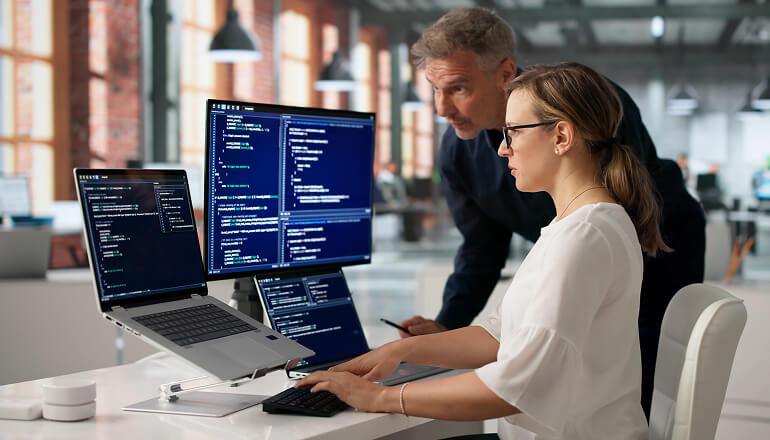
- Log analysis, documentation search, code review, and IP that shouldn’t leave the device. This is where high-memory Macs, RTX workstations, and eventually RTX Spark have the clearest case.
Why I’m still on the fence
Even with stronger hardware and better models, real gaps remain.
Most business apps still don’t use the AI hardware. Buying an AI PC doesn’t mean your apps touch the NPU, Neural Engine, or GPU. Each app needs a supported model, a compatible runtime, hardware optimization, a defined workflow, and a measurable outcome. The hardware may be ready before the software is.
Small models have limits. They’re good at narrow tasks. They struggle with complex reasoning, long documents, vague requests, and current outside knowledge. More TOPS makes a model faster, not smarter.
Enterprise data doesn’t live on the endpoint. The valuable information sits in Microsoft 365, SharePoint, Salesforce, ServiceNow, ERP platforms, and data warehouses. Even local inference needs connectivity to fetch current data, enforce permissions, and complete actions. The model can move to the device. The enterprise architecture usually can’t.
Agents raise governance questions. A local agent with file and app access could create real value. But you must define what it can touch, what it can do, when humans approve, how activity is logged, and what happens when it’s wrong. Local agents make governance more important, not less.
Model management is immature. Someone has to track installed models, versions, owners, approved uses, data access, licensing, updates, rollbacks, and removal from retired devices. Apple’s retest-after-update guidance is an early preview of this work.
Fragmentation is real, and local AI isn’t free AI. Fleets will mix legacy PCs, first-gen AI PCs, 40 to 80 TOPS x86 and Arm systems, Apple Silicon, and discrete GPUs. The same model will behave differently on each. And moving inference on-device trades cloud spend for pricier hardware, more memory, testing, governance, and lifecycle work. Software vendors may keep per-user pricing even as inference goes local. The near-term win is lower latency, better privacy, and offline use — not a smaller subscription bill.
The likely future is hybrid.
Few companies will go fully local or fully cloud. Local AI handles fast, private, lightweight, always-available tasks. Cloud AI brings larger models, deeper reasoning, current information, and company-wide data. Hybrid designs pair local filtering and retrieval with cloud reasoning. The endpoint becomes the first layer of intelligence, not the whole platform.
What to do today
I wouldn’t rush a full refresh for AI features or TOPS numbers. I also wouldn’t ignore local AI during a normal refresh. A practical approach:
- Build capable AI acceleration into new device standards. Consider 32GB for anyone expected to run local language models.
- Define tiers for everyday, technical, creative, and AI-development personas. Evaluate Apple alongside Windows where it fits.
- Test your actual applications on AMD, Apple, Intel, Qualcomm, and RTX platforms. Don’t assume consistent performance.
- Start with narrow, measurable workflows. Build hybrid, not local-only.
- Set model and agent governance before agents arrive, not after.
- Price memory, storage, and supply-chain risk into refresh forecasts. Order timing now moves the price.
- Measure ROI before you scale.
The real question isn’t how many TOPS the device has. It’s what business problem the device solves, and whether that outcome is worth the higher cost.
What’s next?
As hardware becomes more capable and models improve, there’s more opportunity to drive meaningful business outcomes with on-device AI.
But with device prices rising, memory tightening into 2027, and clear ROI still rare for everyday users, the business case remains open.
Want to learn more about on-device AI? Talk to an Insight specialist today to learn more and discover the benefits of our device lifecycle services.
1 Gartner Newsroom. (2026, Feb. 26). Gartner Says Surging Memory Costs Will Reduce Global PC and Smartphone Shipments in 2026. Gartner is a trademark of Gartner, Inc. and/or its affiliates.
2 Gartner Newsroom. (2026, April 8). Gartner Forecasts Worldwide Semiconductor Revenue to Exceed $1.3 Trillion in 2026. Gartner is a trademark of Gartner, Inc. and/or its affiliates.
About the Authors:

Joe Flynn
Modern Workplace Director and Distinguished Technologist, Insight
With over 25 years of experience in the IT industry, Joe loves that technology constantly changes and provides new challenges, pushing him to learn more every day. As a leader for a vendor-agnostic organization, Joe is equipped to advise clients on the solutions that drive the best value for their business. He is a champion across many technologies and approaches knowledge-sharing not as a one-time project but as a continued mindset.
 Monthly perspectives from global tech leaders.