Infographic text included for screen readers:
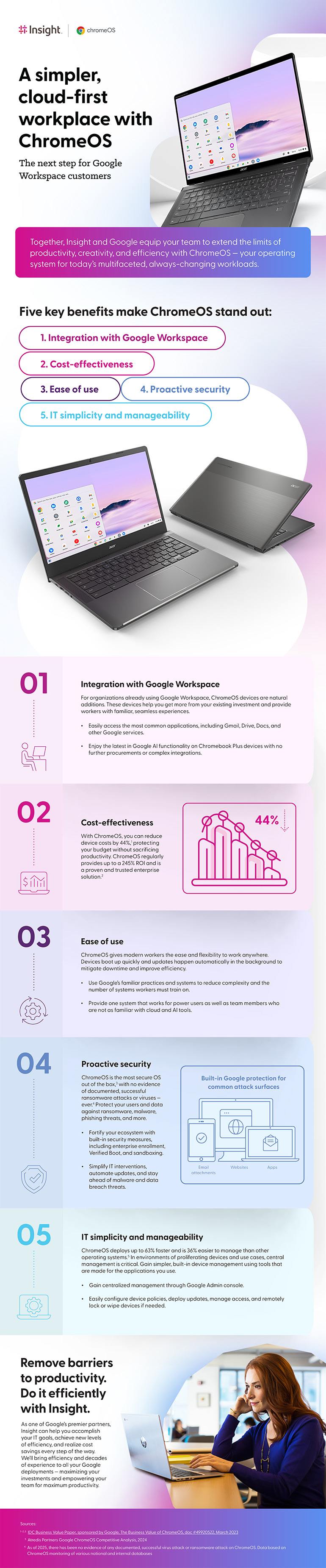
A simpler, cloud-first workplace with ChromeOS
The next step for Google Workspace customers
Together, Insight and Google equip your team to extend the limits of productivity, creativity, and efficiency with ChromeOS — your operating system for today’s multifaceted, always-changing workloads.
Five key benefits make ChromeOS stand out:
- Integration with Google Workspace
- Cost-effectiveness
- Ease of use
- Proactive security
- IT simplicity and manageability
1. Integration with Google Workspace
For organizations already using Google Workspace, ChromeOS devices are natural additions. These devices help you get more from your existing investment and provide workers with familiar, seamless experiences.
- Easily access the most common applications, including Gmail, Drive, Docs, and other Google services.
- Enjoy the latest in Google AI functionality on Chromebook Plus devices with no further procurements or complex integrations.
2. Cost-effectiveness
With ChromeOS, you can reduce device costs by 44%1, protecting your budget without sacrificing productivity. ChromeOS regularly provides up to a 245% ROI and is a proven and trusted enterprise solution.2
3. Ease of use
ChromeOS gives modern workers the ease and flexibility to work anywhere, and Google’s familiar practices and systems reduce complexity and the number of systems they must train on.
- Provide one system that works for power users as well as team members who are not as familiar with cloud and AI tools.
- Devices boot up quickly and updates happen automatically in the background to mitigate downtime and improve efficiency.
4. Proactive security
ChromeOS is the most secure OS out of the box3, with no evidence of documented, successful ransomware attacks or viruses — ever.4 Protect your users and data against ransomware, malware, phishing threats, and more.
- Fortify your ecosystem with built-in security measures, including enterprise enrollment, Verified Boot, and sandboxing.
- Simplify IT interventions, automate updates, and stay ahead of malware and data breach threats.
Built-in Google protection for common attack surfaces
- Email attachments
- Websites
- Apps
5. IT simplicity and manageability
ChromeOS deploys up to 63% faster and is 36% easier to manage than other operating systems.5 In environments of proliferating devices and use cases, central management is critical. Gain simpler, built-in device management using tools that are made for the applications you use.
- Gain centralized management through Google Admin console.
- Easily configure device policies, deploy updates, manage access, and remotely lock or wipe devices if needed.
Remove barriers to productivity. Do it efficiently with Insight.
As one of Google's premier partners, Insight can help you accomplish your IT goals, achieve new levels of efficiency, and realize cost savings every step of the way. We’ll bring efficiency and decades of experience to all your Google deployments — maximizing your investments and empowering your team for maximum productivity.
Sources:
Atredis Partners. (2024). Google ChromeOS Security Competitive Analysis Report.
Hochmuth, P., Huang, L., and Marden, M. (March 2023). The Business Value of ChromeOS. IDC.